
PDF GUIDE · 8 MIN READ
What’s in a Stitchplot print-ready PDF
A digital counted cross-stitch pattern pack with everything you need to plan, print and follow your chart — not a physical kit.
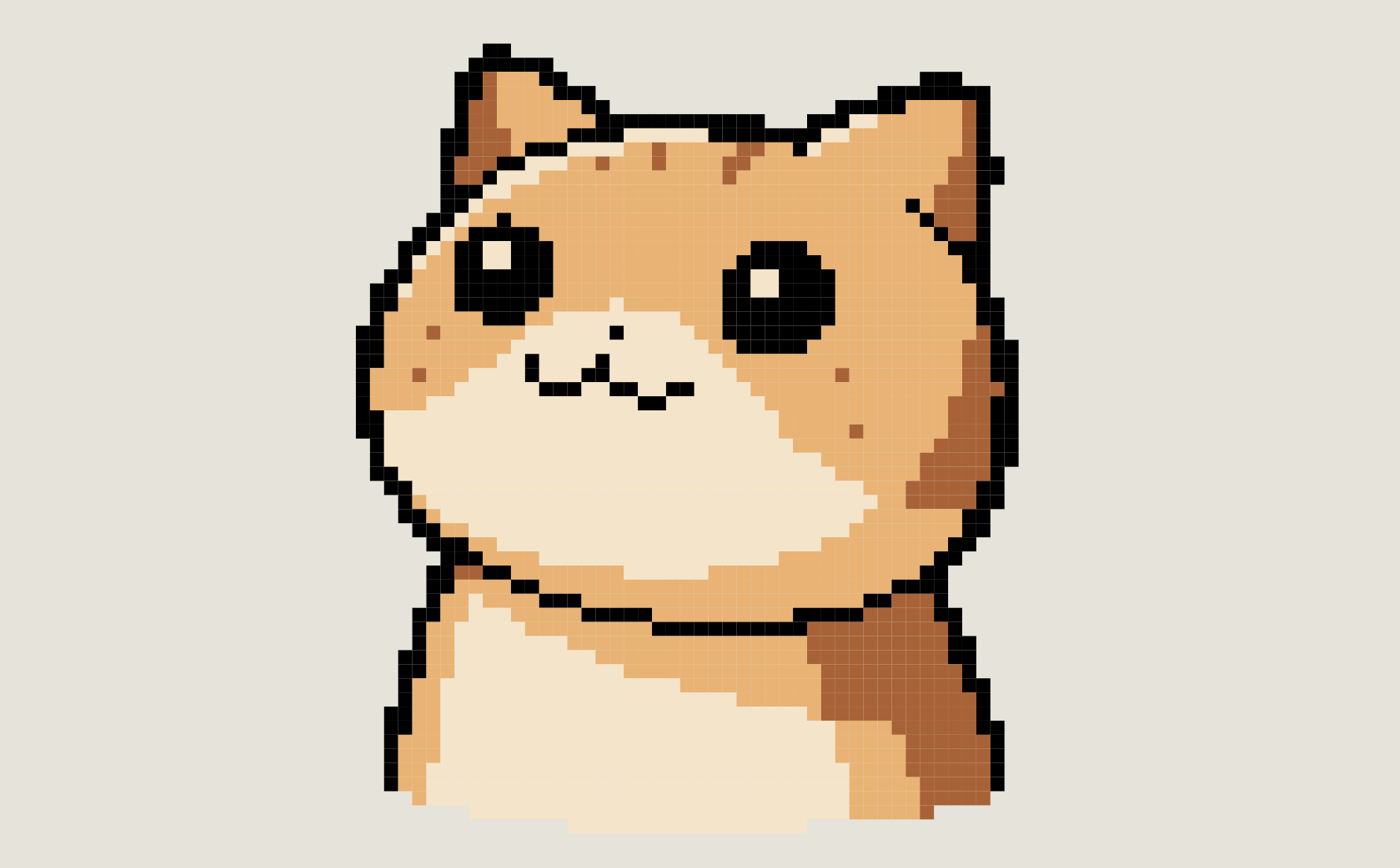
A Stitchplot PDF includes a project sheet, DMC floss key with material estimates and how-to notes, a colour overview, tiled colour symbol charts, and matching black-and-white charts.
What’s inside (at a glance)
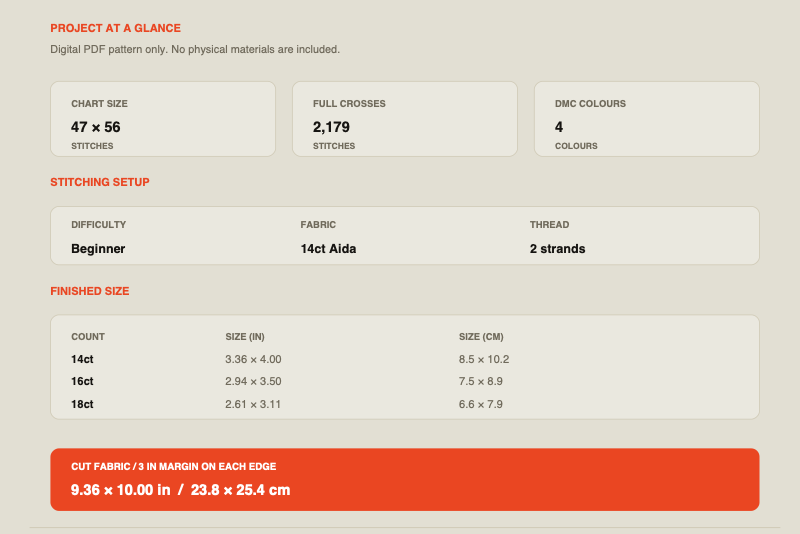
Project at a glance
Chart size, stitch count, colours, difficulty, fabric guidance, finished sizes and cut-fabric size.
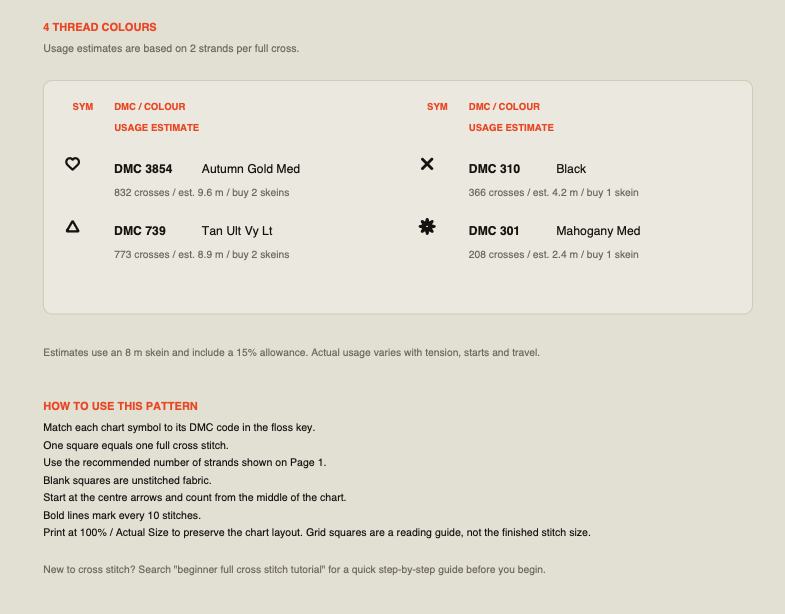
DMC floss key + material estimate
Symbols, codes, colour names, stitch counts, skein suggestions and how-to notes on one materials page.
Colour overview
A full-design preview placed with the floss key.
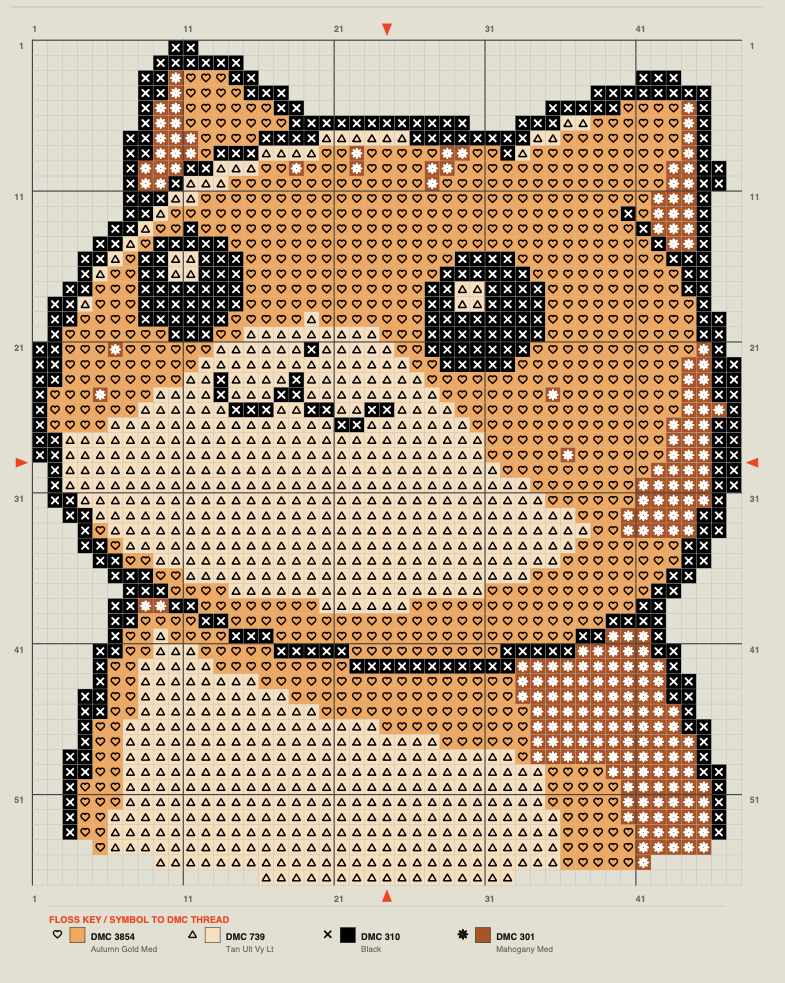
Colour chart sections
Multi-page tiled symbol charts designed to follow at the hoop.
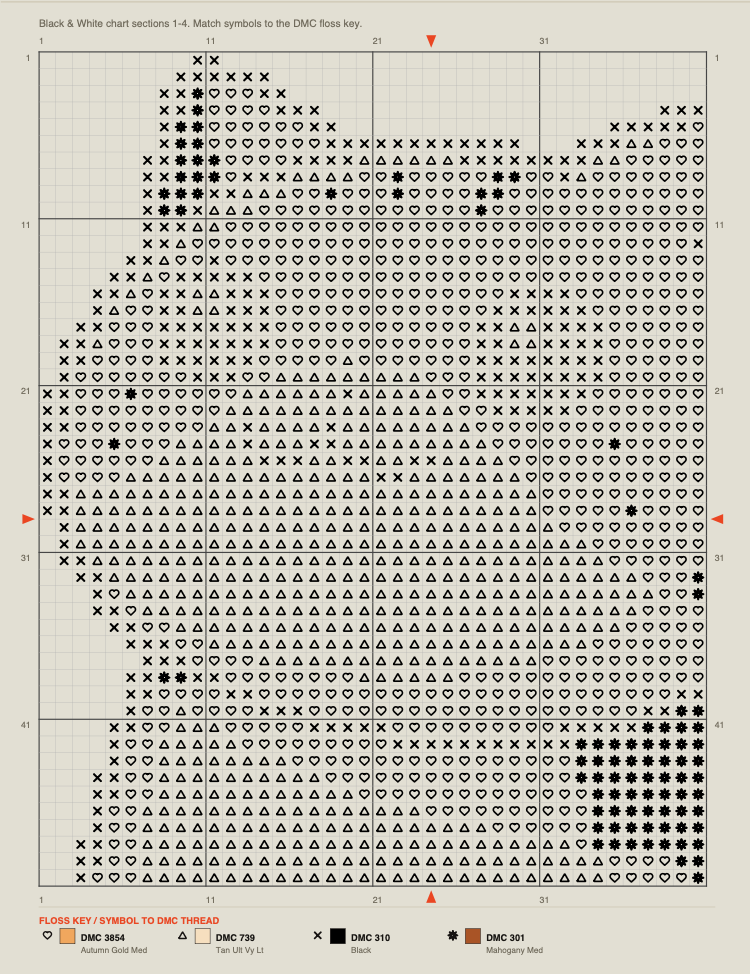
Black & white chart sections
The same tiling in higher-contrast black and white.
What you download
The PDF is a print-ready counted cross-stitch pattern. Creating and editing a chart in Studio is free, and editable SVG export is free. Unlocking the print-ready PDF uses account credits: Google sign-in includes 3 free credits, and HK$29 adds 3 more. There is no subscription.
You receive a digital file only. Stitchplot does not ship fabric, floss, needles or frames. Makers preparing their own digital pattern still get a print-ready counted pack, not shop certification.
PAGE BY PAGE
Project at a glance
The first sheet summarises the project so you can plan fabric and hoop size before you print everything:
- Chart size in stitches (width × height)
- Total full crosses and number of DMC colours
- Difficulty label and recommended fabric
- Strand count for full crosses
- Finished size table for common counts — 14, 16 and 18ct — in inches and cm
- Suggested cut-fabric size with margin
DMC floss key, material estimate and how-to notes
On the materials and floss-key page, each symbol maps to a DMC code and colour name. For every colour you also get its stitch count, estimated metres of floss and suggested number of skeins to buy.
Estimates assume 2 strands per full cross, an 8 m skein and about 15% allowance. Actual use varies with tension, fabric and how you start and end threads. Use the key as a shopping list, then adjust if you stitch denser or looser than average.
The same page explains the chart conventions:
- One square equals one full cross stitch
- A blank square is unstitched fabric
- Match each symbol to the DMC floss key
- Start from the centre arrows
- Bold lines mark every 10 stitches
- Print at 100% / Actual Size — the grid is for reading, not the finished size on fabric
Colour overview
A full-design preview sits with the floss key, so you can understand colour placement before working section by section.
Colour chart sections
The main colour charts are tiled across several pages. Each section notes where it continues from, and the floss key is repeated so you do not have to flip back to the front of the file.
Black & white chart sections
The same tiling is provided in black and white for printers that favour B&W, or if you prefer higher contrast while stitching. Symbols still match the DMC key.
How to read the chart
Work from the symbol charts, not from the overview alone. Find the centre, mark it on your fabric if that helps, and stitch outward. The 10-stitch grid keeps your place when you move between pages. If a page says the design continues from another section, line those edges up on paper or with sticky notes so the full chart stays clear. Step-by-step: How to read a counted cross-stitch chart.
Planning materials
- Note the recommended fabric count and finished size for the count you will use.
- Add the cut-fabric margin from the project sheet, or your own preferred border.
- Buy DMC floss from the key using the suggested skein counts, plus extras for colours you know you waste more of.
- Keep the PDF digital or print only the pages you need; print at 100% so the grid stays readable.
Free SVG vs print-ready PDF
| FEATURE | FREE IN STUDIO | PRINT-READY PDF |
|---|---|---|
| Create and edit the chart | Yes | — |
| Editable SVG export | Yes | — |
| Project sheet + finished sizes | — | Yes |
| DMC floss key + skein estimates + how-to notes | — | Yes |
| Colour overview | — | Yes |
| Tiled colour + B&W symbol charts | — | Yes |
Use free Studio and SVG while you refine the design. Unlock the PDF when you are ready to print, shop for DMC and stitch.
What this is not
- Not a physical kit — no fabric, floss or tools included
- Not a subscription product — PDF unlocks use credits
- Not an Etsy certification or shop approval
- This pack type uses full cross stitches only
FAQ
Quick answers
Is the PDF a kit?
No. It is a digital counted cross-stitch pattern. You supply fabric, floss and tools.
What is free?
Creating, editing and editable SVG export in Studio are free. Google sign-in includes 3 free PDF credits.
What does each PDF credit unlock?
One print-ready PDF for that chart: project sheet, DMC materials list with how-to notes, colour overview, and tiled colour and black-and-white charts.
Can I stitch from the free SVG alone?
SVG is useful for editing and other digital workflows. For a hoop-ready counted chart with DMC key, finished sizes and tiled print pages, use the print-ready PDF.